Garage management for UAE workshops

Run your whole workshop from one screen — check-in to hand-over

For garages, service centres and body shops. Works without internet, in Arabic and English, with UAE VAT invoices.

From AED 399 / month, excl. VAT. See the plans

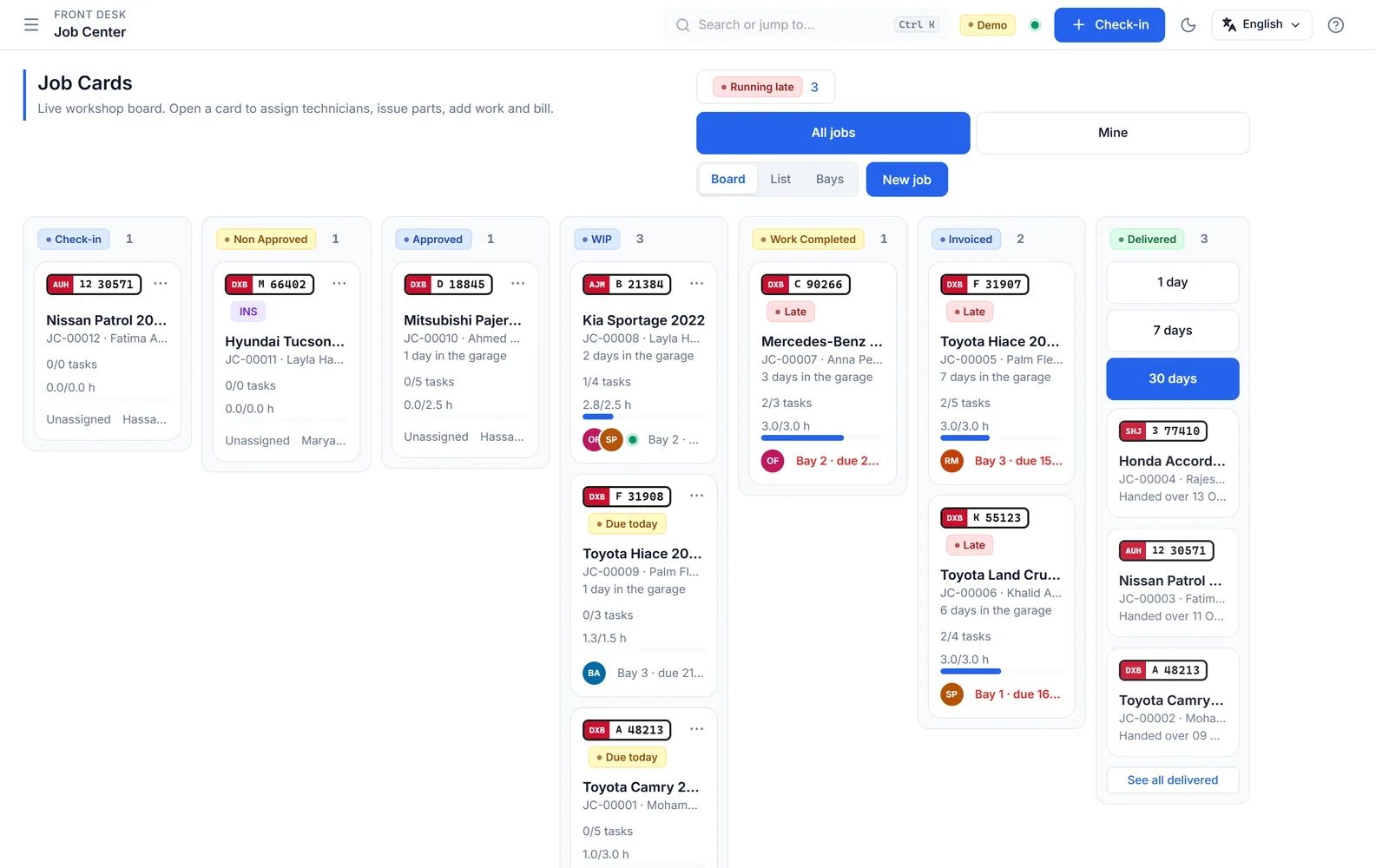
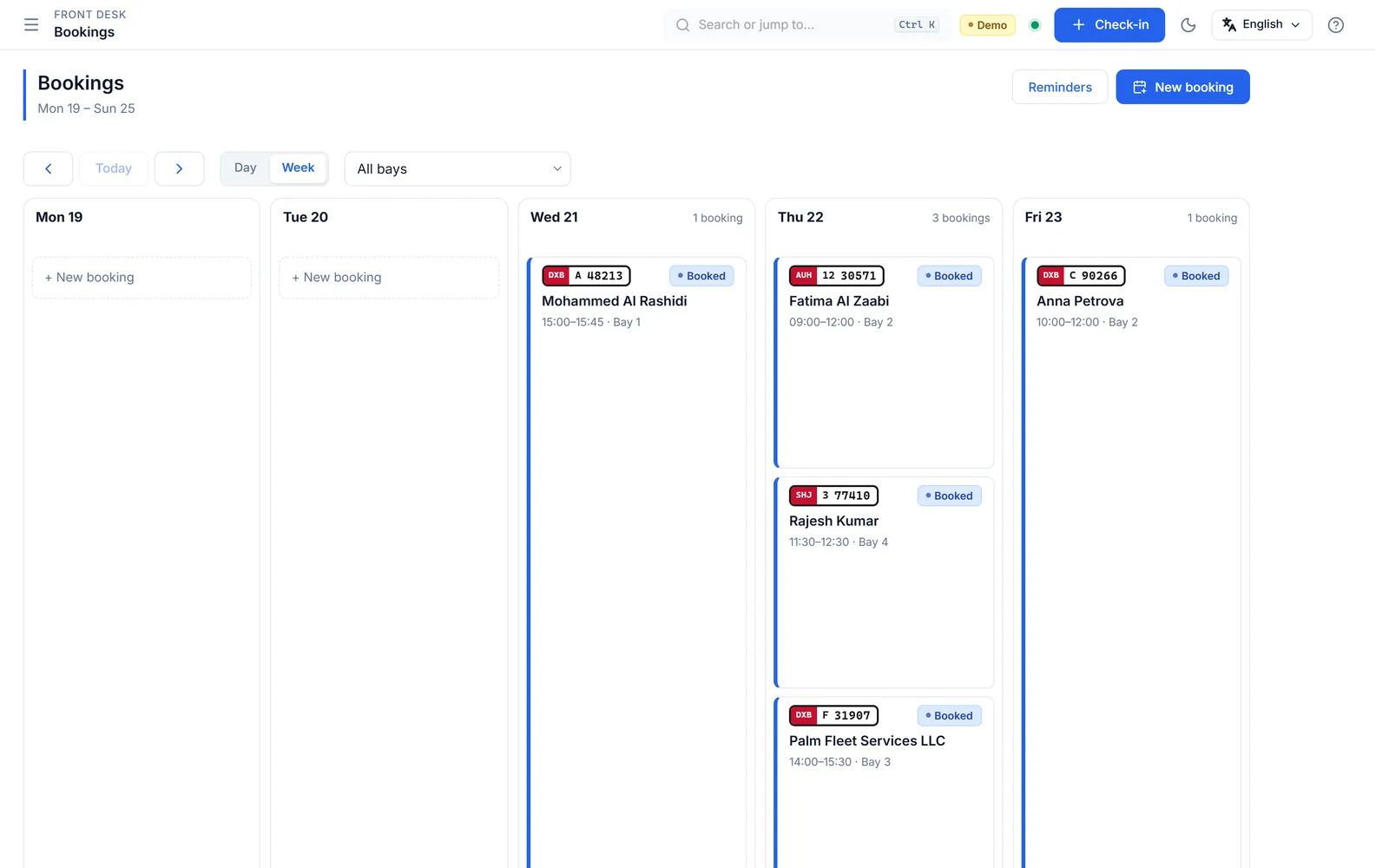
The job board with a column for every stage from Check-in to Delivered, each card showing the plate, bay and technicians.
  • Works without internet
  • Arabic and English
  • UAE VAT invoices
  • Backup built in
  • Your data stays on your PC
Sound familiar?

The everyday workshop problems, and the answer to each

Job cards get lost or half written.

One check-in, one job cardType the plate, pick the customer, tap the complaints. The same job card follows the car until hand-over.
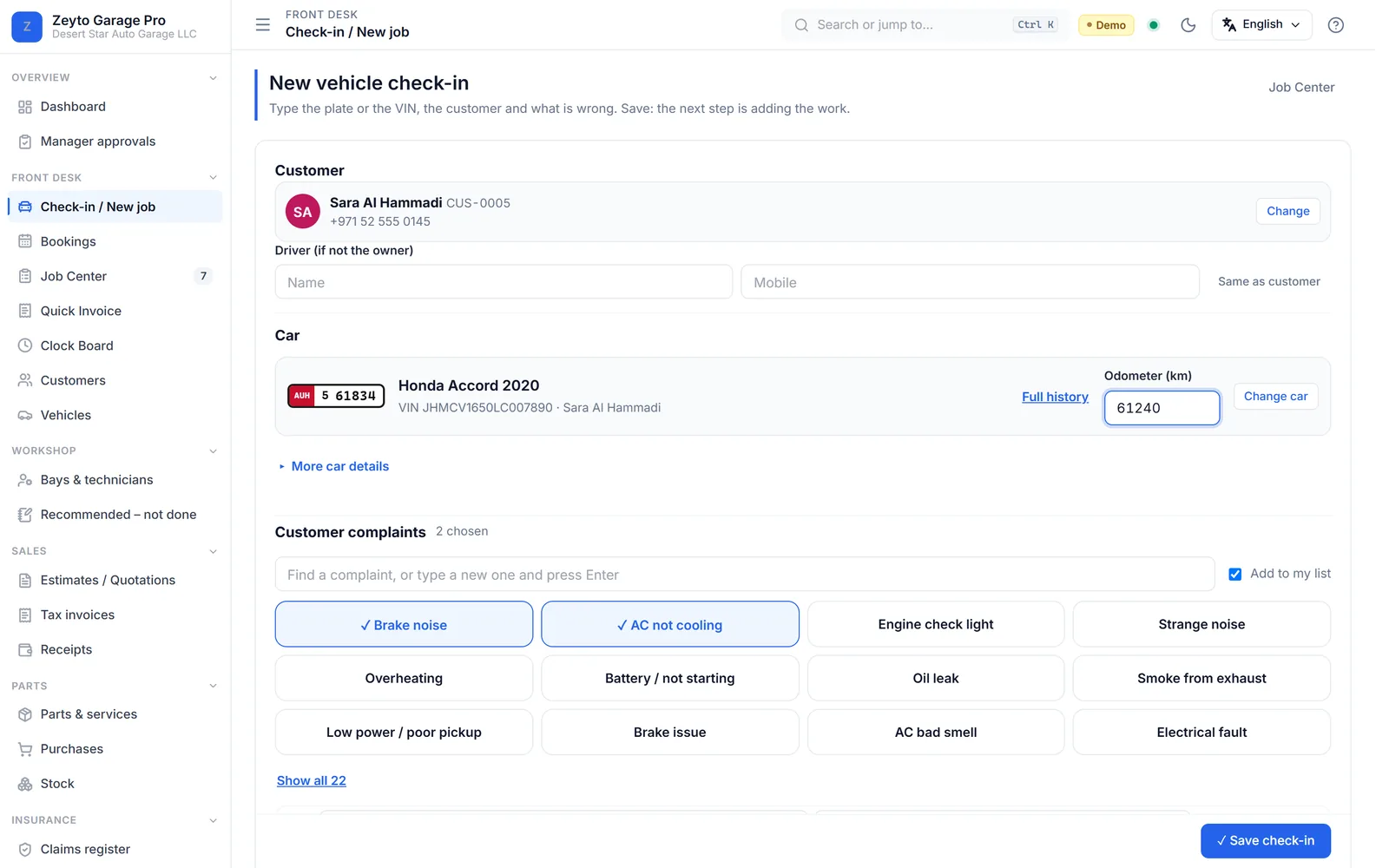
The check-in form: the customer and car are found from a mobile number, with the odometer and tapped complaints below.

The customer said yes on the phone. Now they say they never did.

Approval with proofTake a signature on the tablet, a code the customer reads back, or send an approval link. You choose the rule.
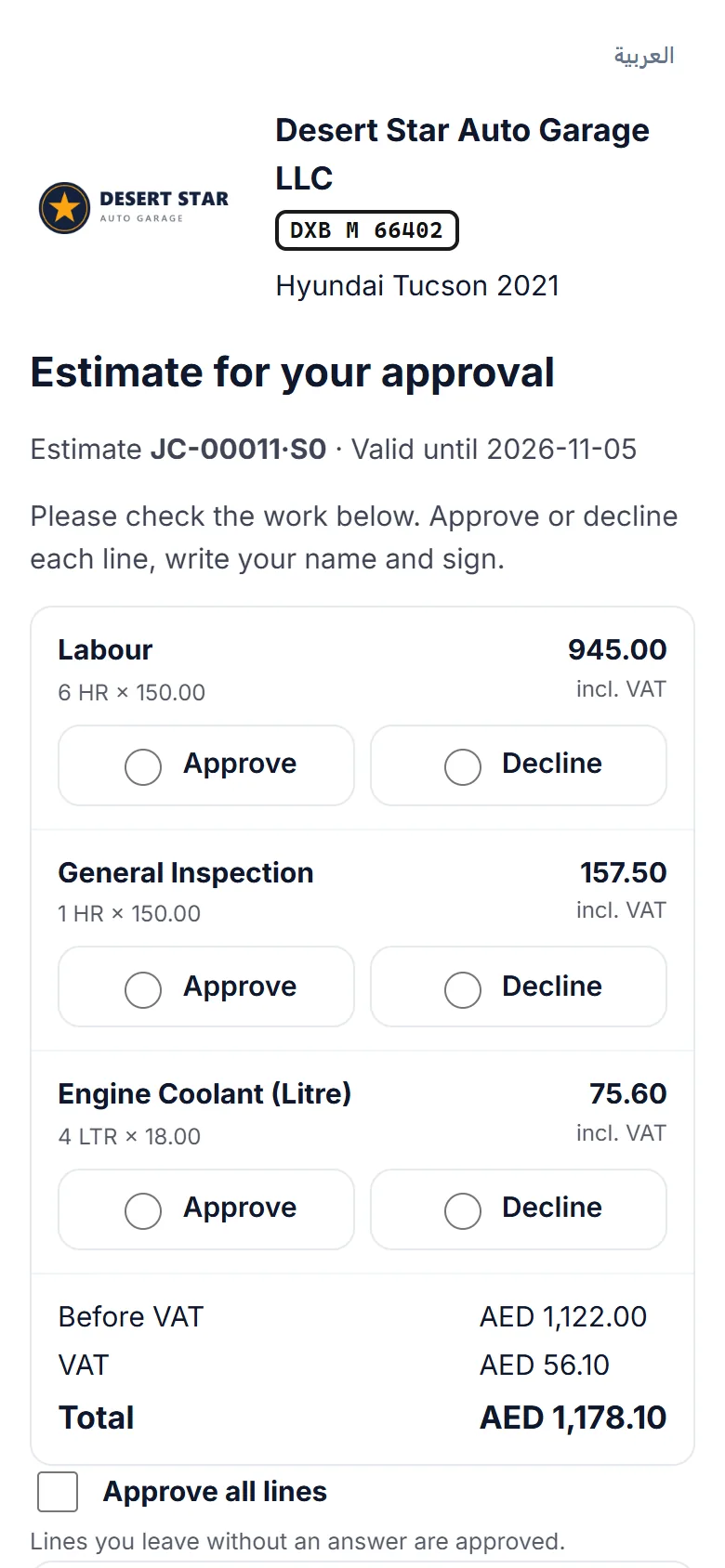
The estimate approval page on a phone, where the customer approves or declines each line.

I do not know which cars are running late.

A live board of every carSee each car by stage, with its promised time, bay and technician. Late cars stand out.

The job board with a column for every stage from Check-in to Delivered, each card showing the plate, bay and technicians.

Customers owe me money and I forget who.

Balances in plain sightEvery customer page shows what they owe now. Fleet customers get a monthly statement.
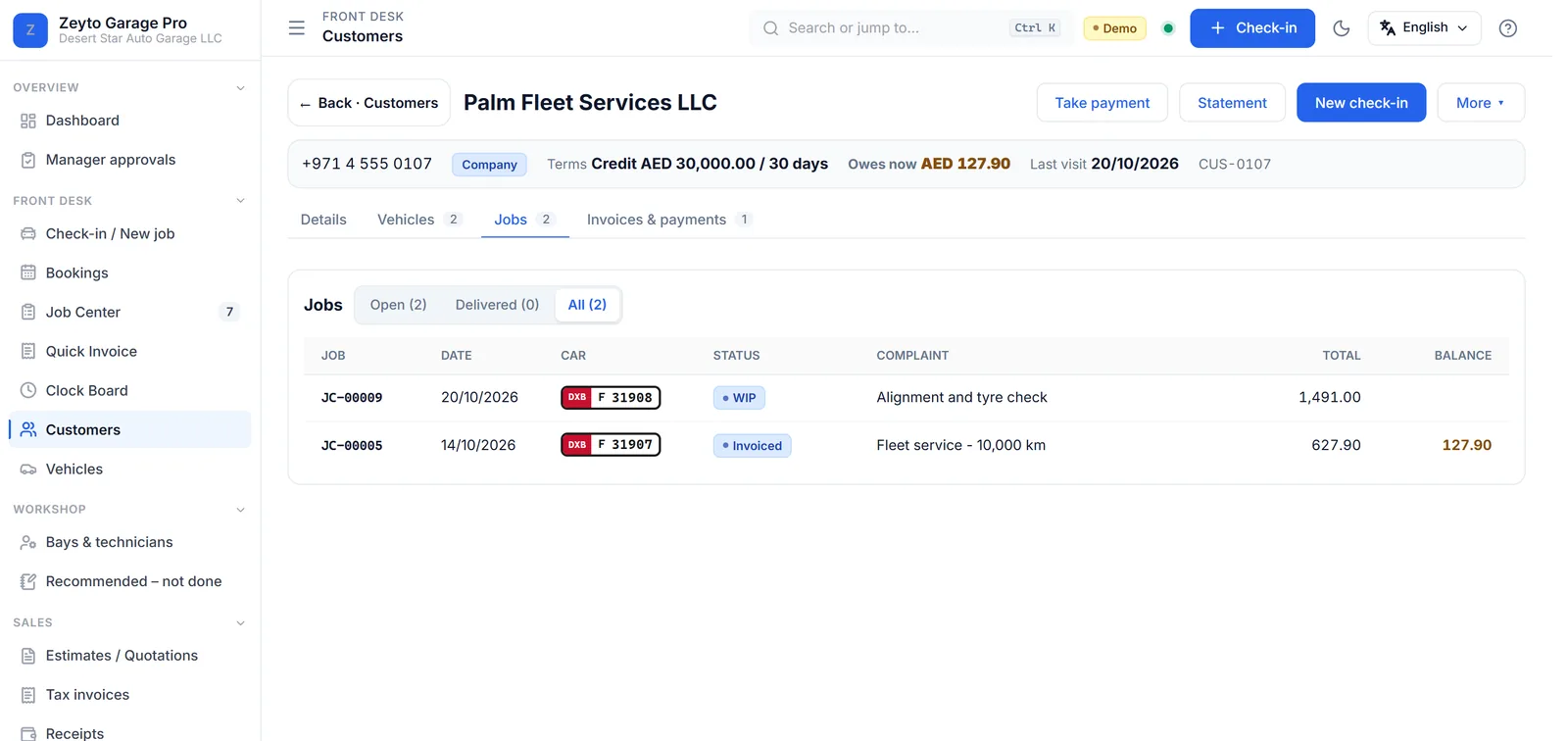
A fleet customer page with its jobs, the cars, what it owes now and its credit terms.

The same part gets sold twice.

Parts are reserved for the jobParts approved on a job are held for it, so the counter sees what is really available.
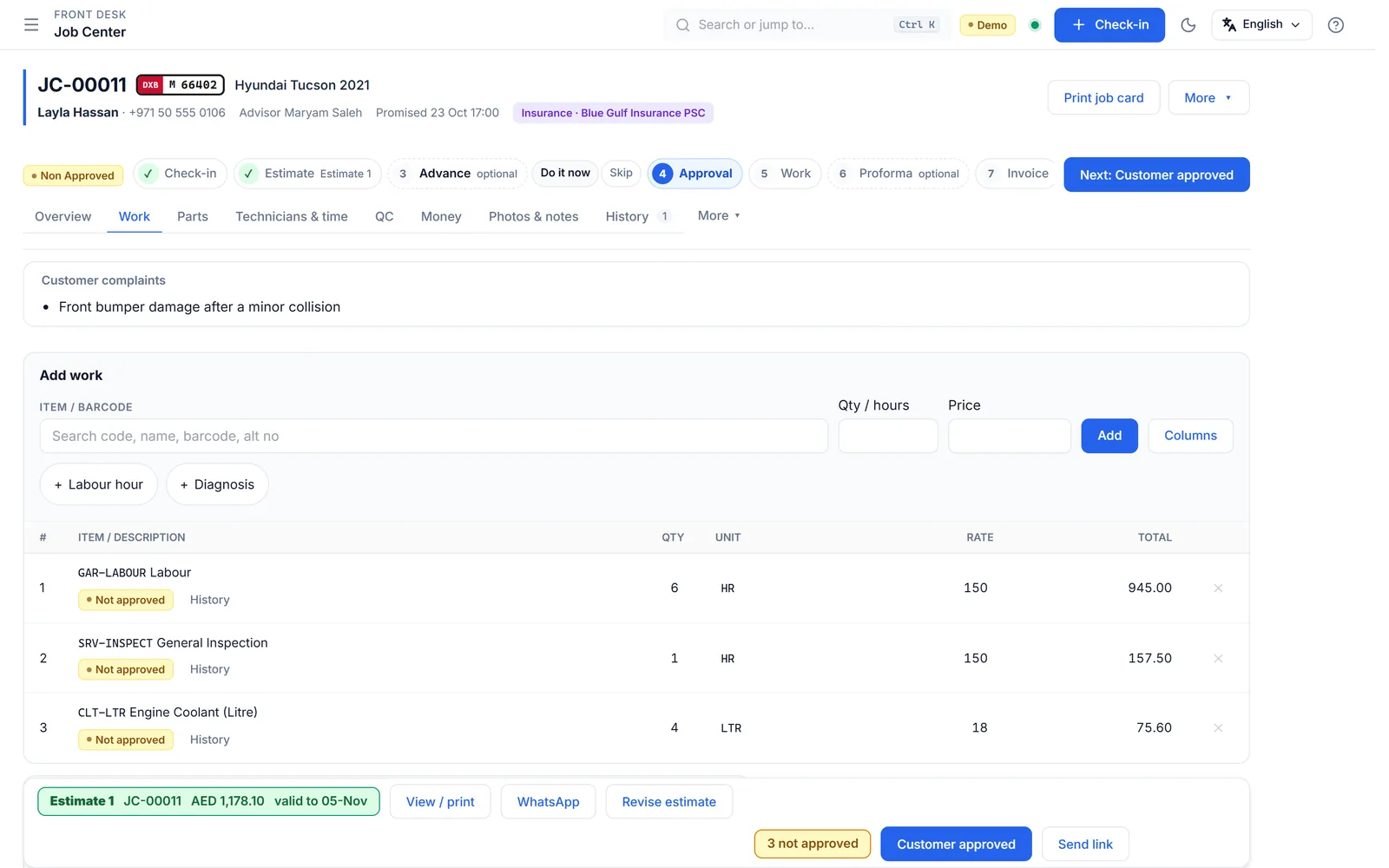
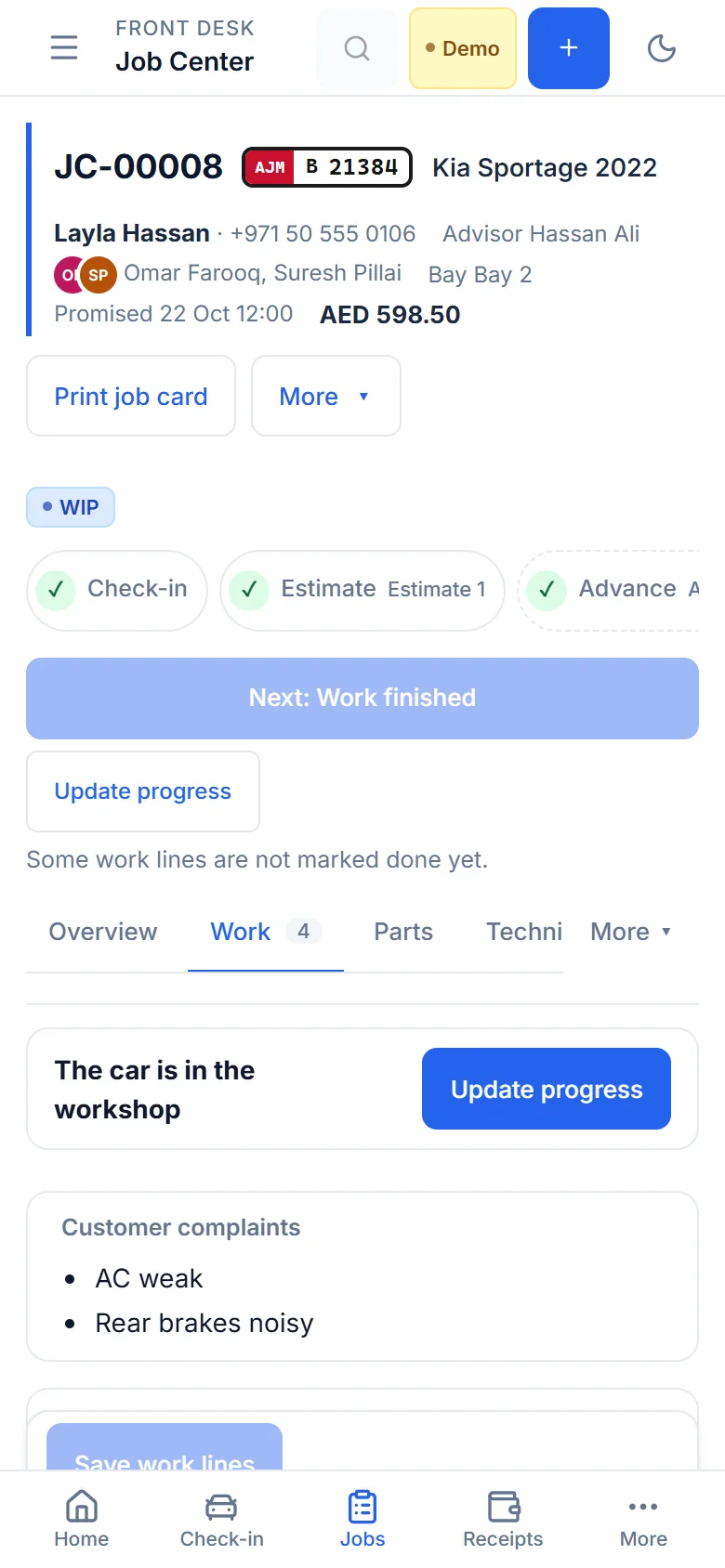
A job card with the guided steps at the top, the Add work bar and the estimate lines below.

I cannot see today’s money.

Cash and bank, todaySee what came in today by cash, card and bank, and close the counter at the end of the day.
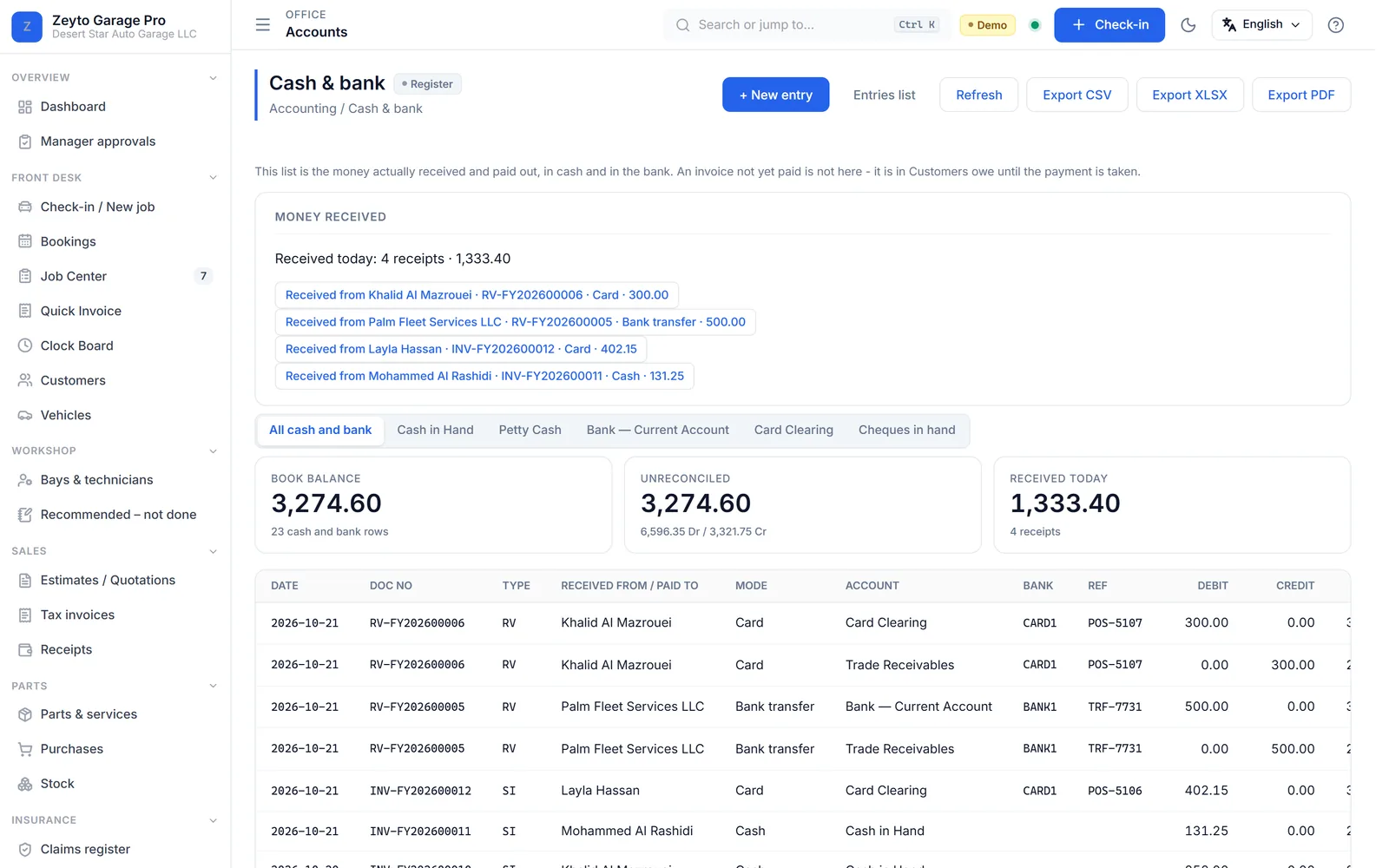
The cash and bank register showing what was received today by card, bank transfer and cash.
How a job flows

Nine steps. The next one is always on screen.

Every job card shows where the car is and the one thing to do next. Advance and proforma are optional.

  1. Check-inRegister the car and what is wrong, in one form.
  2. EstimateAdd services and parts. The customer gets a clear quote.
  3. AdvanceoptionalTake part of the money up front when you want to.
  4. ApprovalThe customer says yes, with a signature, a code or a link.
  5. WorkTechnicians are allocated, work is marked done line by line.
  6. ProformaoptionalGive the customer a proforma invoice if they ask for one.
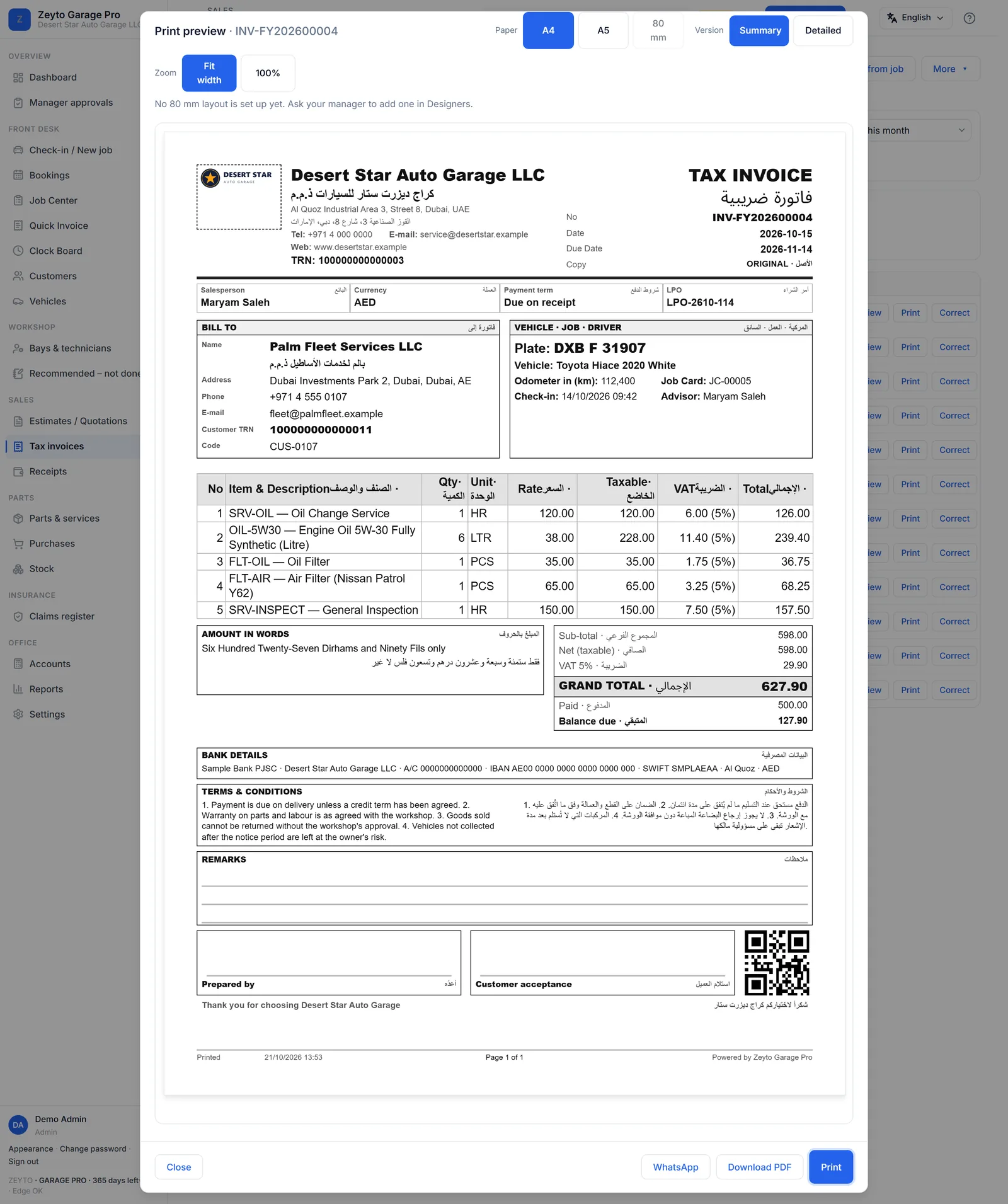
  7. InvoiceMake the VAT invoice from the approved work. The advance is taken off.
  8. PaymentTake cash, card or bank transfer. Part payments are fine.
  9. Hand overRelease the car with a gate pass.
A job card with the guided steps at the top, the Add work bar and the estimate lines below.

Watch a job from approval to invoice

Made for the people who use it

One system, four jobs done well

The check-in form: the customer and car are found from a mobile number, with the odometer and tapped complaints below.

Service advisor

At the front desk, with the customer.

  • Find the customer and the car from a mobile number or a plate.
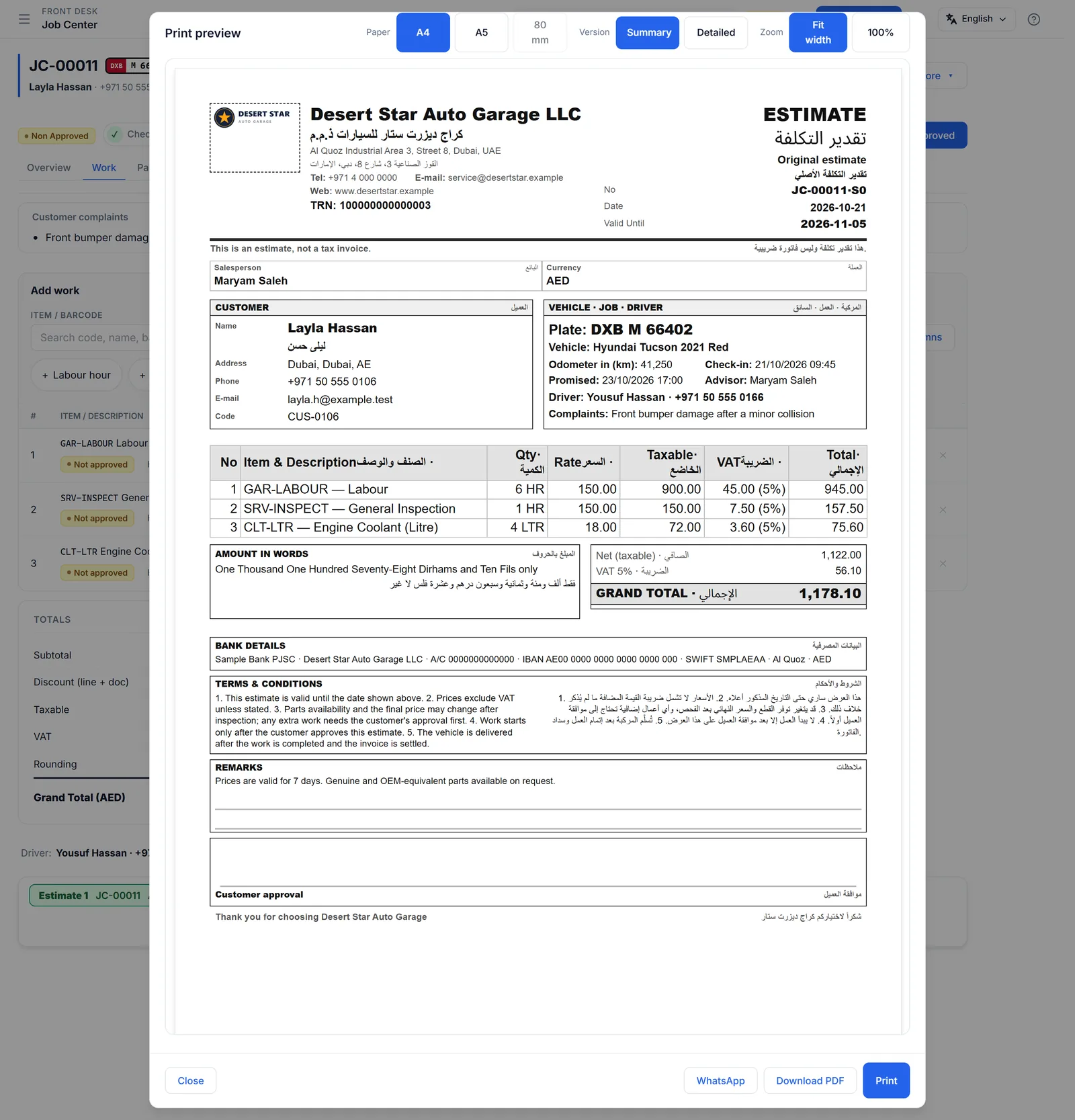
  • Build the estimate from services and parts, print it in English and Arabic.
  • Record the customer’s approval with proof.
See it in the video
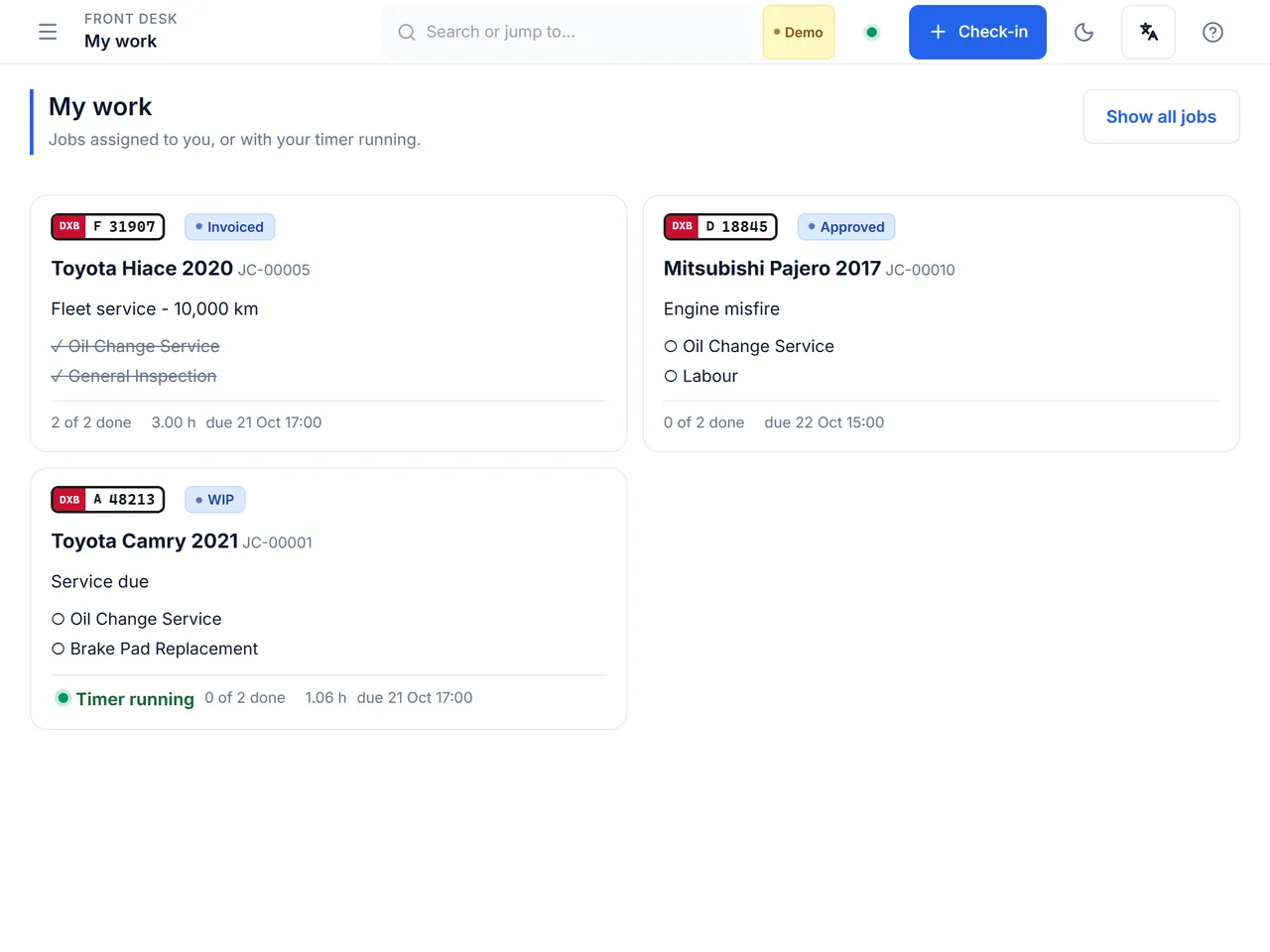
A technician tablet showing My work: large cards for the technician’s jobs, one with a timer running.

Technician

On the workshop floor, with a tablet.

  • See only your own jobs, as big cards.
  • Start a timer on a job and stop it when you finish.
  • Mark each line done. Add notes and photos.
See it in the video
The cash and bank register showing what was received today by card, bank transfer and cash.

Cashier

At the counter, taking payment.

  • Make the invoice from the approved work in one step.
  • Take cash, card or bank transfer, in parts if needed.
  • See today’s receipts and close the day with a count.
See it in the video
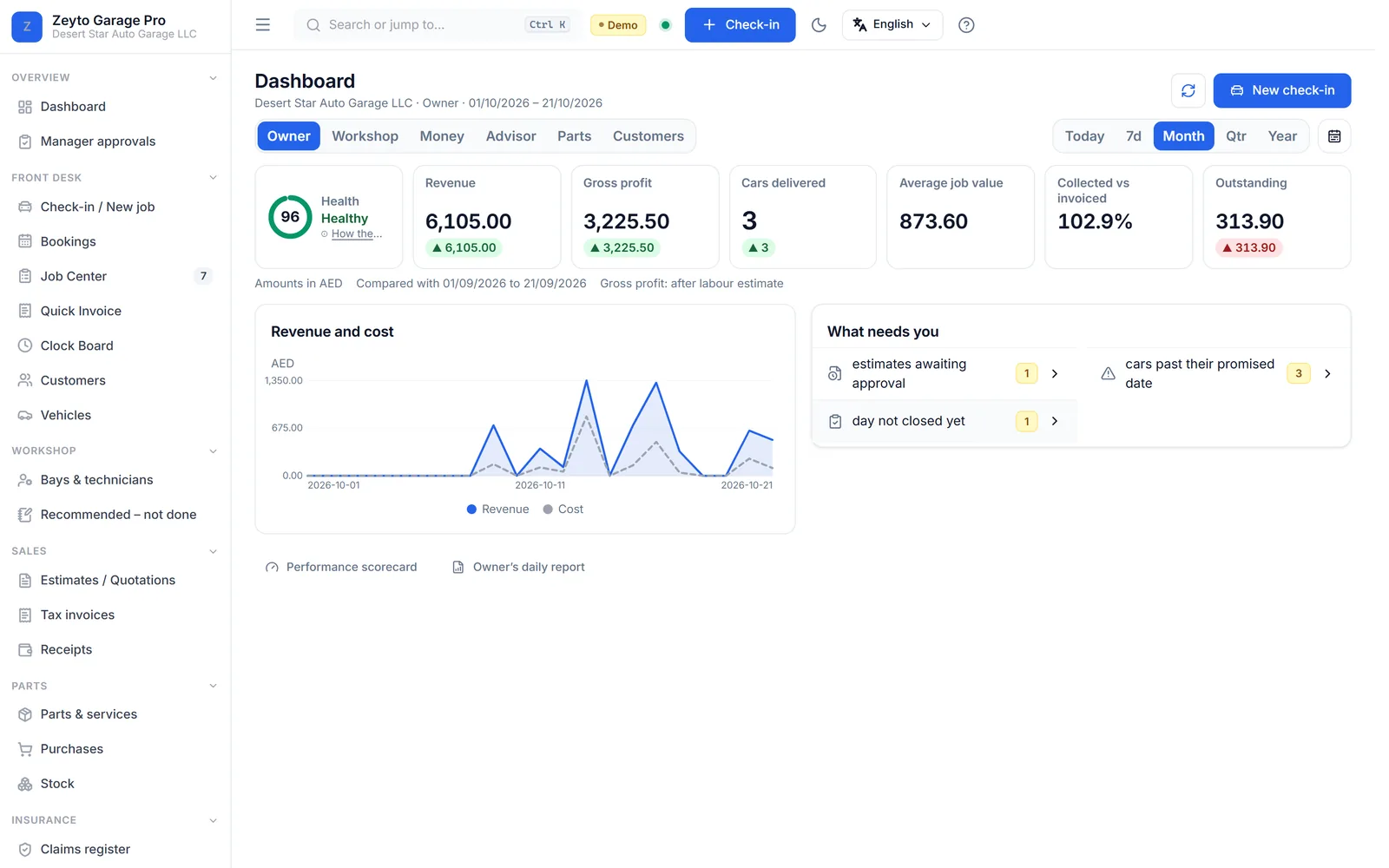
The owner dashboard with revenue, gross profit, cars delivered, what is outstanding and a revenue chart.

Owner

Wherever you are, wanting the numbers.

  • See revenue, cars delivered and what is still owed.
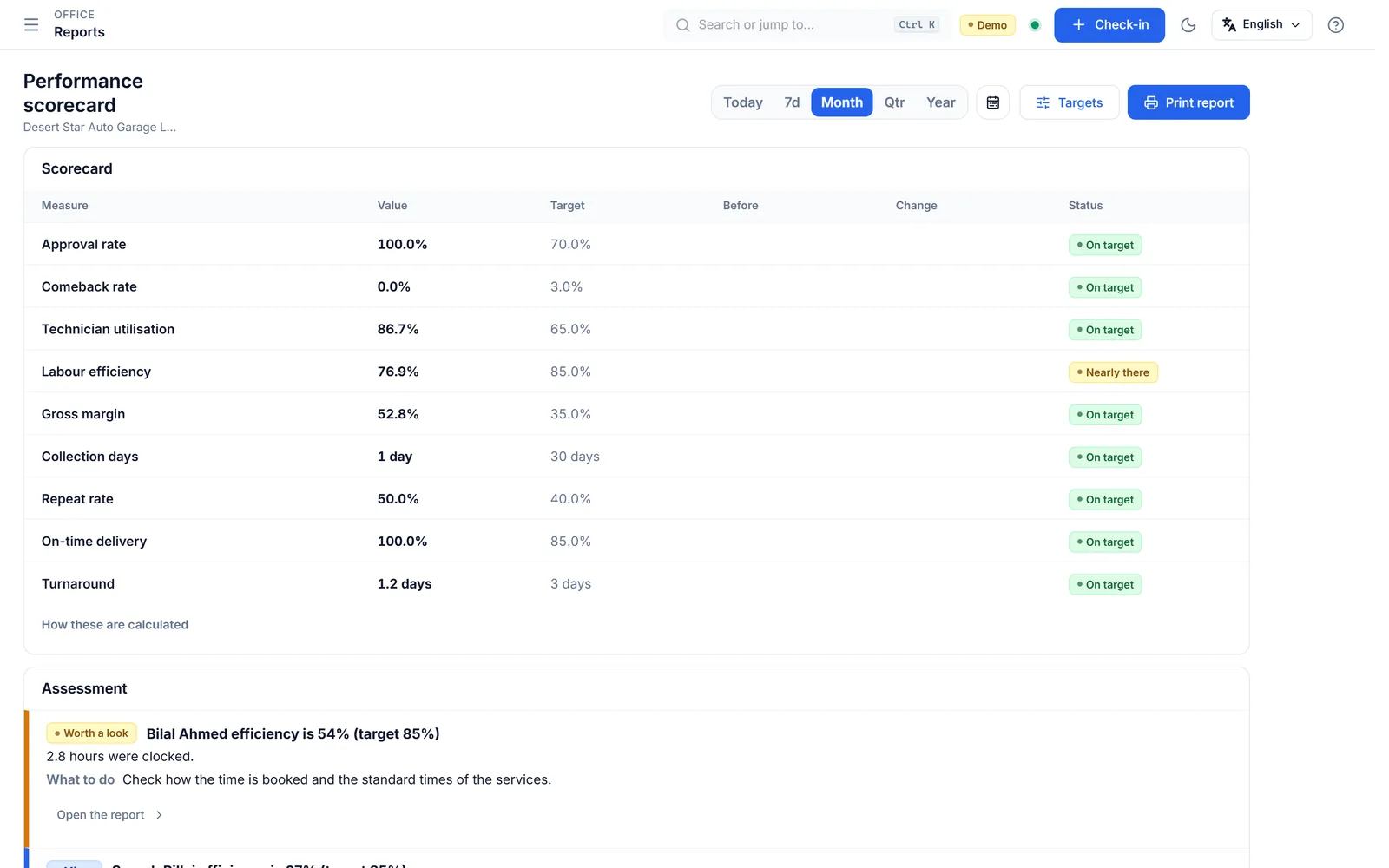
  • Check a performance scorecard against targets you set.
  • Get a daily report by email or WhatsApp.
See it in the video
See it in action

Three short videos of the real system

Silent screen recordings with captions, made with demo data.

Check-in to estimate

0:38 · silent, with captions on screen

Check a car in from its owner’s mobile number, add the work and print the estimate.

Approval to invoice

0:43 · silent, with captions on screen

Take an advance, record the customer’s approval, run the work, invoice it, take payment and hand the car over.

Owner dashboard and reports

0:32 · silent, with captions on screen

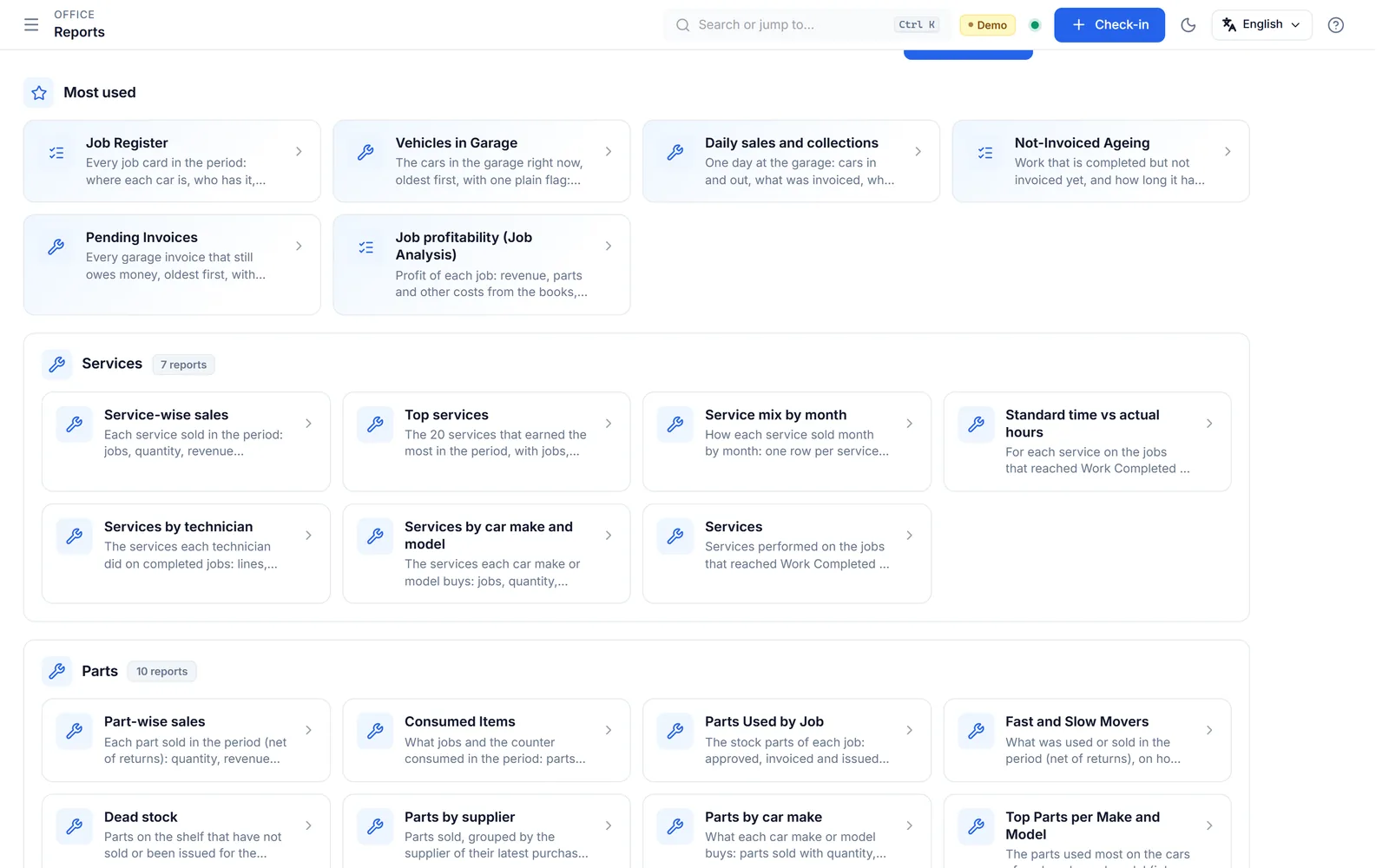
Switch the dashboard views, change the period, read the daily owner report and open a report.

Screenshots

What it looks like

Tap a picture to enlarge it.

What you get

Simple plans, priced per workshop

Start with a free trial. Pay monthly, or yearly and pay for 10 months.

Garage Starter

For a small workshop moving off paper and spreadsheets.

AED 399/month
or AED 3,990/year (10 months)
One locationSmall team
Start free trialTalk to sales
  • One workshop location
  • A small team of users, plus a technician tablet
  • One-form check-in with plate and VIN search
  • Job cards, estimates and a customer approval link
  • Invoices and receipts with UAE VAT
  • Parts and stock
  • Customers and vehicles
  • A4 and A5 printing
  • Backup and restore built in
  • English and Arabic

Garage Multi-branch

For a group with more than one branch or location.

from AED 899/month
Yearly billing quoted with you
Several locationsQuoted with you
Talk to sales
  • Everything in Garage Pro
  • Several branches or locations under one licence
  • More users, sized to your group
  • Set-up and roll-out planned with our team
  • Priority support

Prices are per workshop site and exclude VAT. UAE VAT is added on your invoice. Pay yearly and you pay for 10 months.

In every plan
  • The client installer for extra PCs on the same shop network is included on every plan
  • Tablets and phones open the system in a browser over the shop Wi-Fi, with nothing to install

See the full pricing page

Switching is easy

Already using something else? You will not start from zero.

Bring your data over

We bring customers, cars and parts over from your old system, including the old Emeron Garage app. A checklist helps you reconcile balances before you start.

Set-up and training

We install, set up your services, users and print layouts, and train your advisors, technicians and cashier. On request, quoted before any work starts.

Try before you pay

Open the live demo with no sign-up, or request a free trial licence for your own PC. You pay only when you are happy.

Questions

Straight answers

Do I need internet?
Not for daily work. Zeyto Garage Pro runs on a PC in your workshop, so check-in, job cards, invoices, stock and printing keep working when the internet is down. You need internet to activate your licence, to download updates and to send reports or messages out.
Which PCs and tablets can I use?
The server installer runs on a Windows 10 or 11 PC. Extra Windows PCs use the client installer. Tablets, phones and any other computer open the system in a browser over the shop Wi-Fi, with nothing to install. A dedicated Android app is not published yet.
Is my data safe?
Your data lives in a private database on your own PC, not on a distant server. Backup and restore tools are built in, and uninstalling or updating keeps your data.
Is it in Arabic?
Yes. Screens and printed documents are available in English and Arabic.
Does it handle VAT?
Yes. Invoices and credit notes carry UAE VAT, and the accounts are built for FTA VAT. Zeyto Garage Pro does not connect to an e-invoicing service provider yet.
Can staff with little computer experience use it?
Yes. Each job shows one clear next step. Technicians see their own jobs as large cards on a tablet and tap to start, update and finish. We offer training on request.
What if I already use another system?
We can bring your customers, cars and parts over. If you use the old Emeron Garage app, an export kit and an import wizard are ready. For other systems, ask us. Importing does not post anything to your books.
How do I get support?
By WhatsApp and email. Implementation, training and data import are available on request.

Ready to see it with your own cars?

Start a free trial on your own PC, or talk to us first. We reply on WhatsApp and by email.

Looking for the full business ERP instead? See Zeyto ERP.